



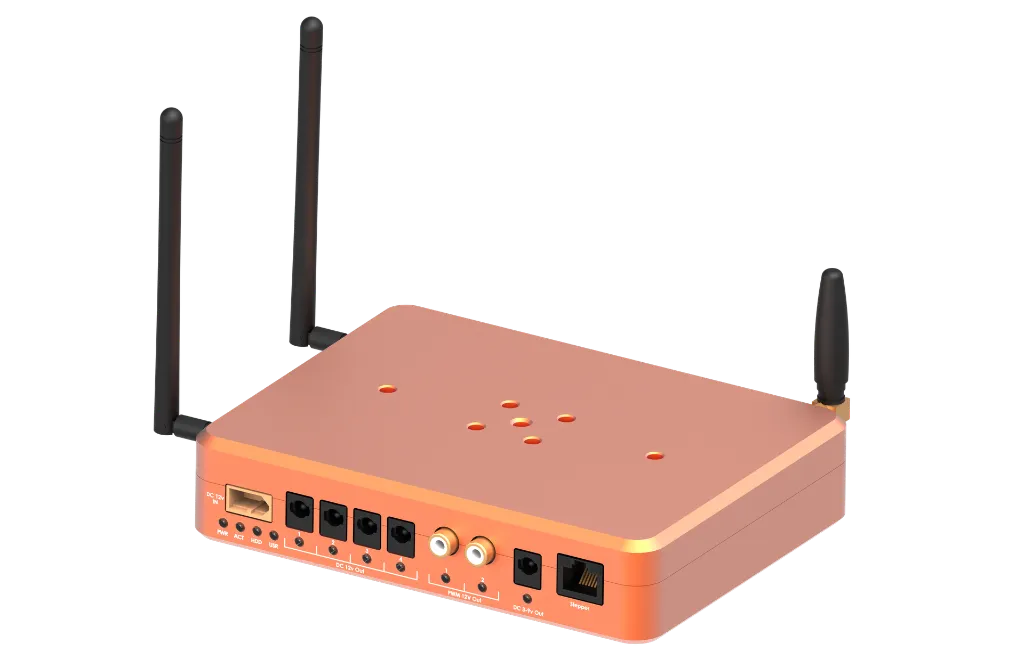
AVAILABLE FOR PRE-ORDER
Reserve your StellarMate Pro X today! Estimated Shipping: December 2026.
StellarMate Pro X (8GB RAM / 256GB NVMe)
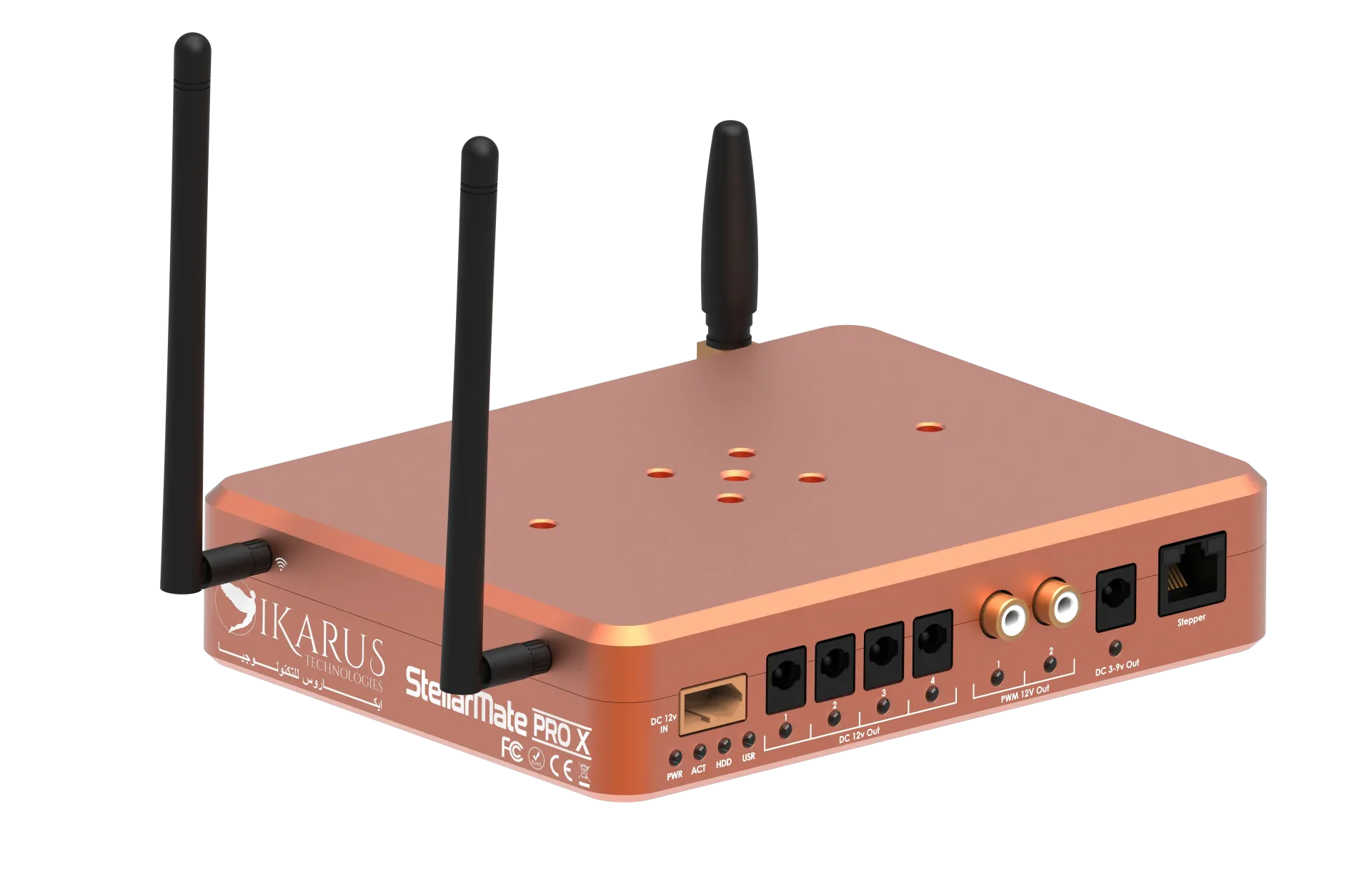
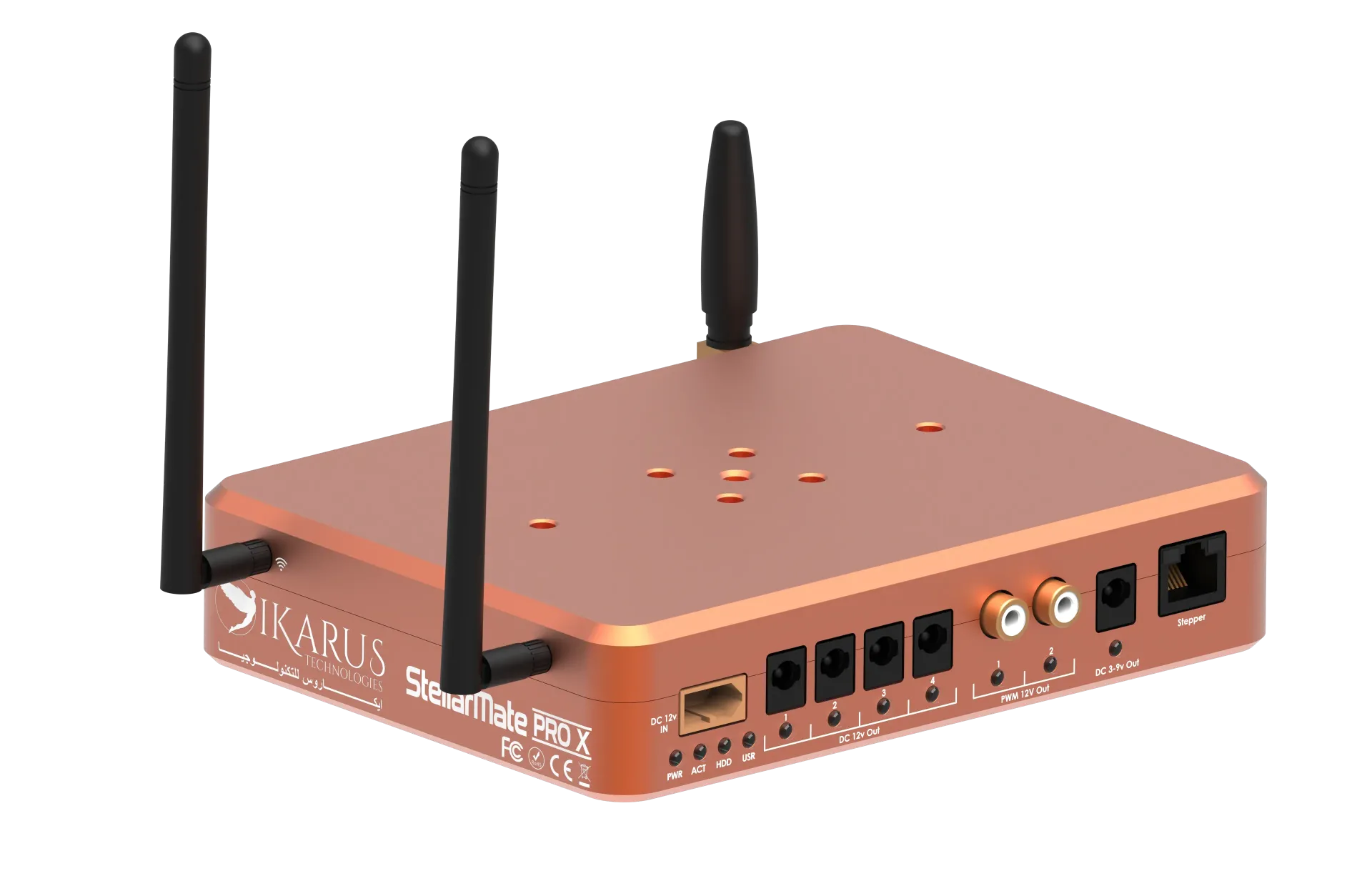
The StellarMate Pro X is a high-performance, professional-grade astrophotography controller powered by the 12th Gen Intel N100 Quad-Core processor platform.
Designed specifically for demanding deep-sky imaging and complex multi-camera setups, it combines Intel UHD Graphics, ultra-fast 8 GB LPDDR5 RAM, high-endurance 256 GB NVMe solid-state storage, and an integrated smart power distribution board into a rugged CNC enclosure.
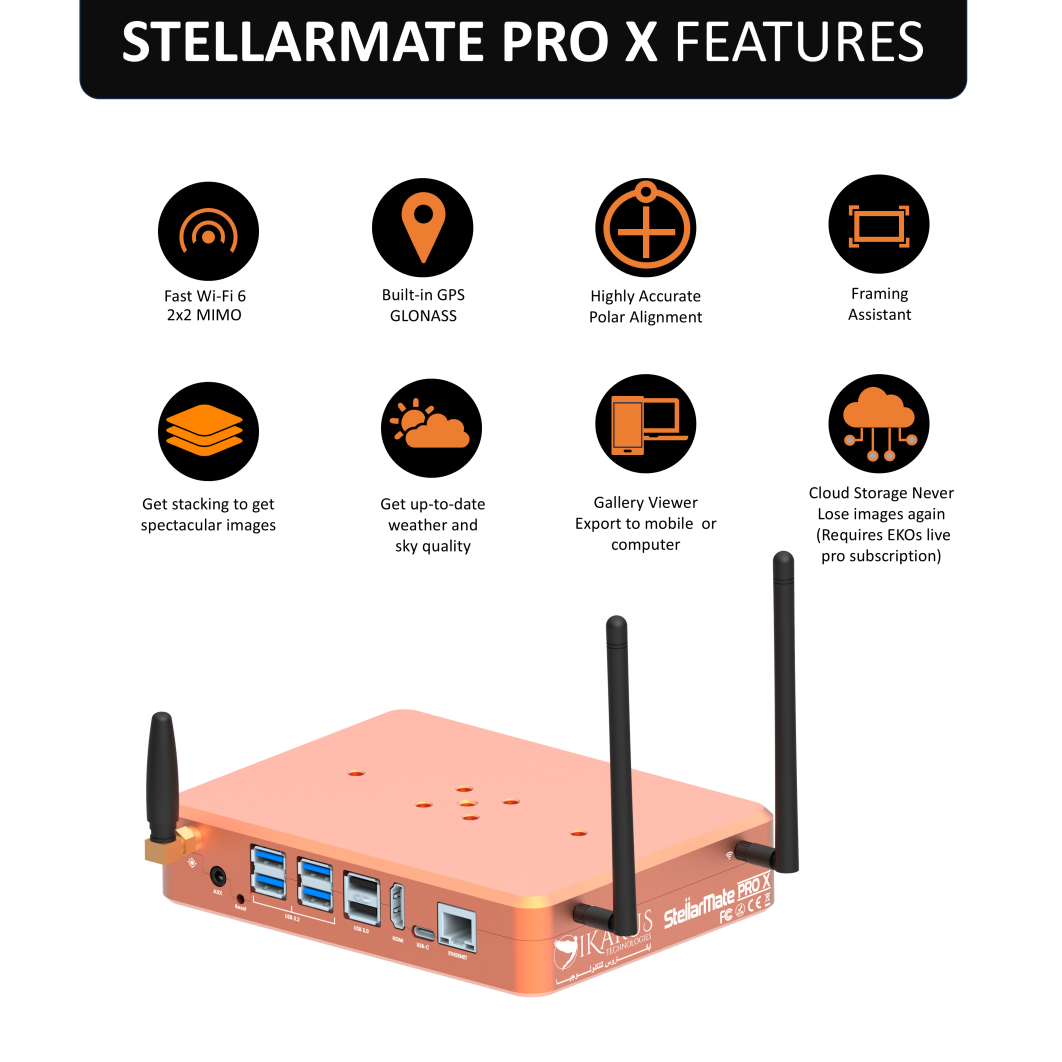
Driven by StellarMate OS—a custom Linux distribution pre-loaded with KStars, Ekos, and the complete INDI driver ecosystem—it offers a completely self-contained astronomy command center accessible remotely via WiFi 6 or Gigabit Ethernet from your phone, tablet, or PC.
Technical Specifications
| Parameter | Specification |
|---|---|
| Operating System | StellarMate OS (KStars, Ekos, and INDI pre-installed) |
| Processor | Intel N100 12th Gen Quad-Core Processor |
| Graphics | Intel UHD Graphics |
| Memory (RAM) | 8 GB LPDDR5 |
| Storage | 256 GB NVMe SSD |
| Wireless (WiFi) | WiFi 6 (802.11ax) - 2.4 GHz / 5 GHz / 2x2 MIMO tri-band |
| Bluetooth | Bluetooth 5.3 |
| GPS | Integrated GPS with external SMA antenna port |
| Wired Network | Gigabit Ethernet (RJ-45) |
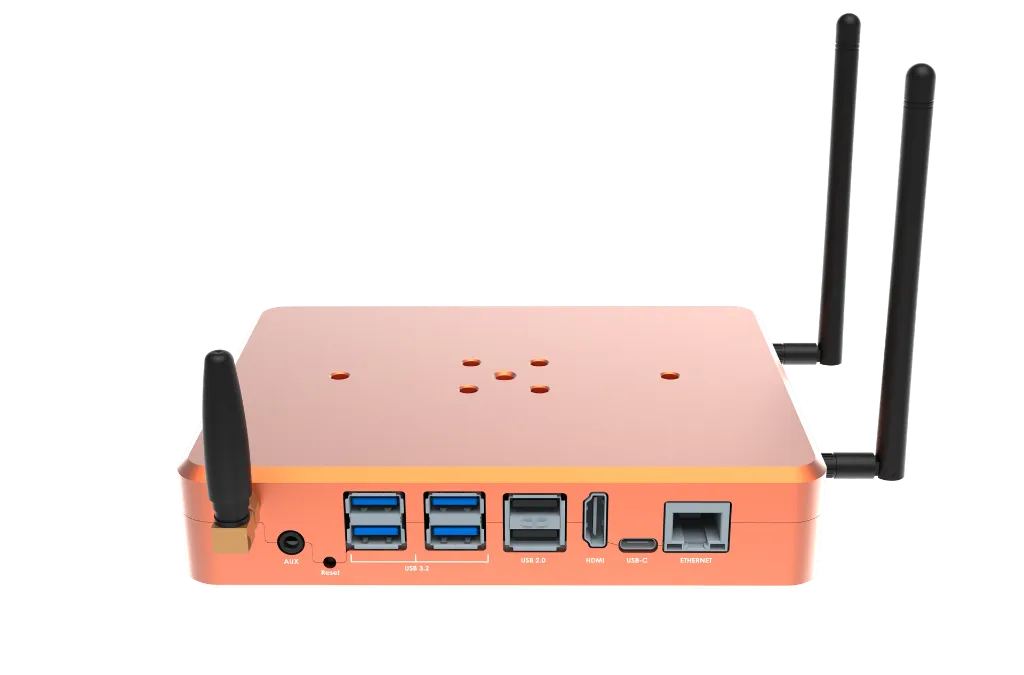
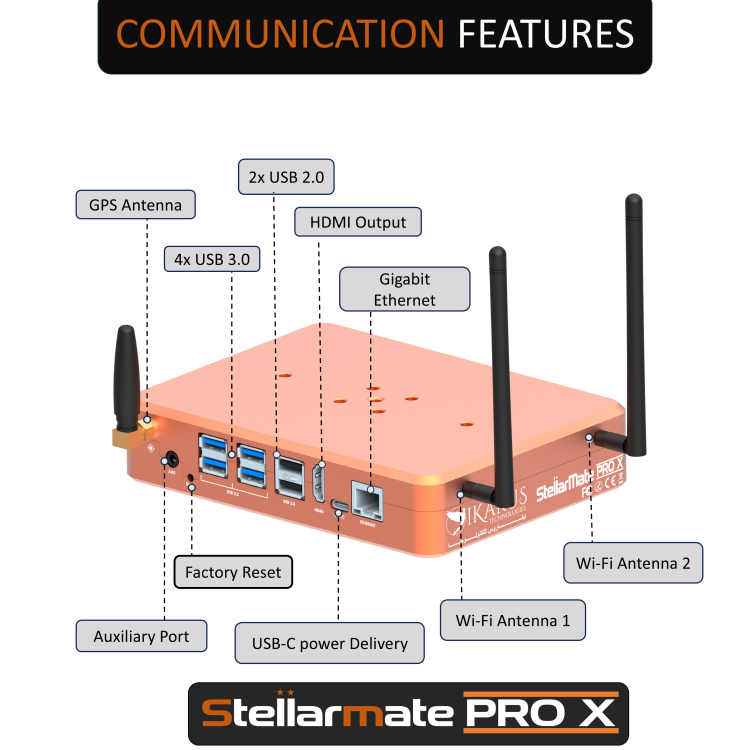
| USB Ports | 4x USB 3.2, 2x USB 2.0, 1x USB-C (60W PD support) |
| 12 V DC Power Output | 4x 12 V DC ports (software-controlled) |
| Dew Heater Ports | 2x Dew heater ports (PWM variable control) |
| Variable DC Output | 1x Adjustable 3–9 VDC output |
| Stepper Motor Control | 1x Dedicated stepper motor output port |
| Auxiliary I/O | 1x External environmental sensor port |
| Mounting Options | Vixen V5 and Losmandy D-series dovetail compatible |
| Regulatory Info | Contains FCC TX ID: TX2-RTL8852CE |
Power Distribution System
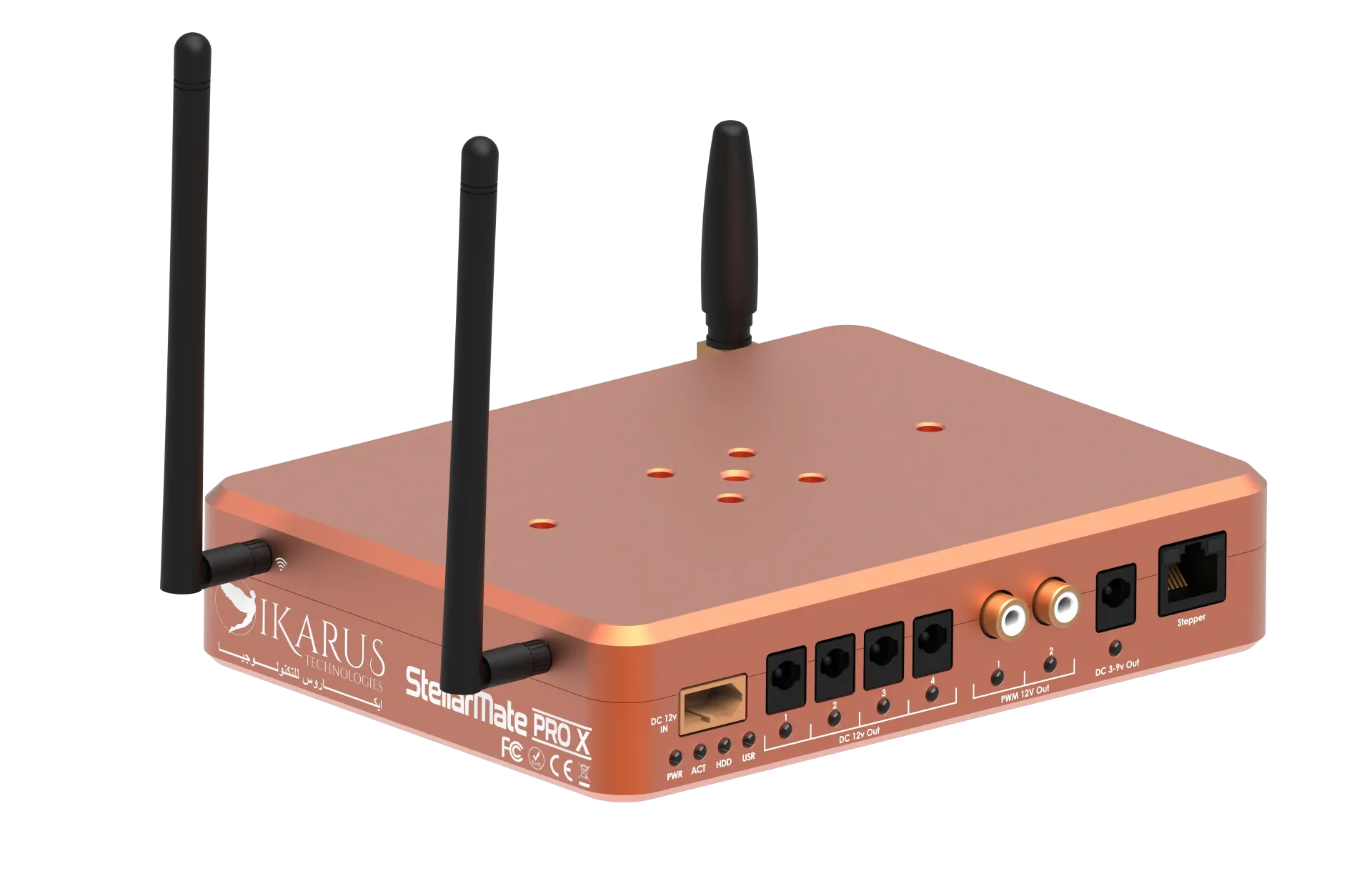
StellarMate Pro X incorporates a dedicated power distribution board that delivers regulated, switched, PWM, and variable outputs. Every port is individually controllable through the StellarMate App or Ekos Power Manager.
Power Input
- Input Options: Industrial XT-60 12 V DC input (10A)
- Operating Voltage: 12 V DC nominal (11 V–13 V operating range)
- Included Cables: 2x 5.5 x 2.1 mm DC barrel adapter cables
Auxiliary Sensor Port
- Port Type: External Sensor Interface
- Typical Applications: Temperature/humidity sensors, sky quality meters, environmental sensors
Power Output Summary
| Port | Qty | Voltage / Type | Control Type | Typical Application |
|---|---|---|---|---|
| DC Out | 4x | 12 V DC (Max 3A) | Software On/Off | Mount, primary camera, focuser, accessories |
| DEW Out | 2x | 12 V PWM (Max 3A) | Duty cycle (0–100%) | Dew heaters, variable-speed fans |
| Variable Out | 1x | 3–9 VDC adjustable (Max 3A) | Software controlled | Guide camera, electronic eyepiece, low-voltage gear |
| Stepper Out | 1x | Stepper signal | Step/Dir protocol | Motorized focuser / stepper accessories |
USB-C PD v3.0 | 1x | 60W | Always on. PD negotiable. | External auxiliary equipment requiring power. |
High-Speed Connectivity & Wireless
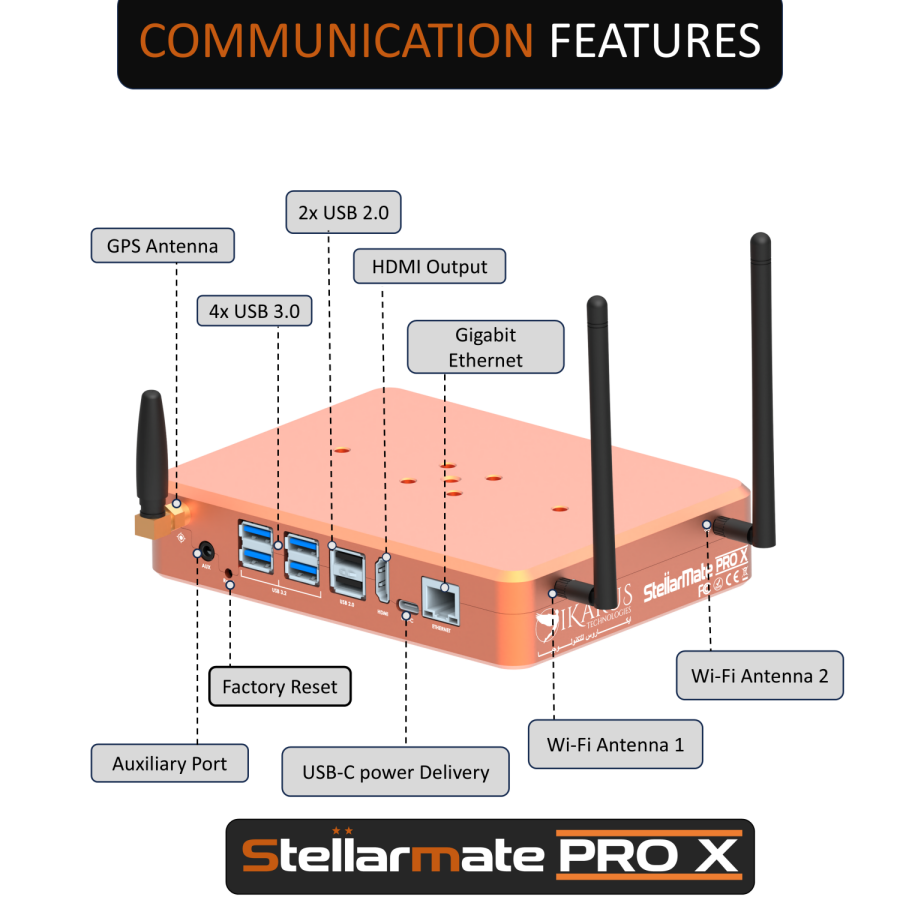
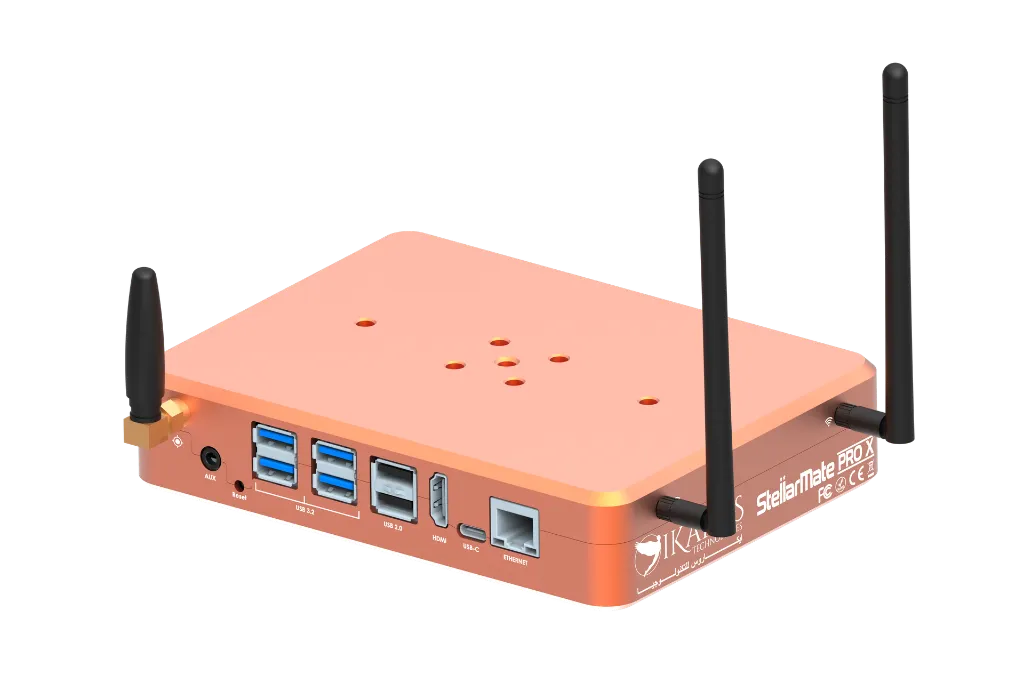
- USB 3.2 Ports (4x): High-speed data transfer for main cooled astronomy cameras, high-res guide cameras, and rapid frame transfers. 1.5A Max current per port.
- USB 2.0 Ports (2x): Dedicated connection for focusers, filter wheels, mount adapters, and dongles. 0.5A Max current per port.
- WiFi 6 & Bluetooth 5.3: Dual-band coverage (2.4 GHz / 5 GHz) for zero-lag remote imaging in crowded wireless environments. 2x2 MIMO High Gain Antennas.
- GPS Receiver: External SMA port (antenna included) for instant precise location coordinates and UTC time synchronization. Active GPS Antenna support.
- Gigabit Ethernet: 10/100/1000 Mbps RJ-45 port for ultra-smooth EkosLive streaming and direct wired network setup.
Software & Remote Control
StellarMate OS
- Core OS: Custom Linux distribution with Over-The-Air (OTA) updates.
- Astronomy Suite: Fully pre-configured KStars and Ekos.
- Driver Ecosystem: Integrated INDI Library supporting over 200+ astronomical devices.
- Remote Access: Web Manager interface and EkosLive cloud connection. LAN access via VNC. Internet access via Rustdesk.
StellarMate Companion App
- Platforms: Available on iOS (App Store) and Android (Google Play).
- Key Features: Interactive HiPS Sky Atlas, plate solving, autofocus, guiding, target scheduler, live stacking, and remote power port control.
Package Contents
- ✔ 1x StellarMate Pro X Astrophotography Controller
- ✔ 1x Male XT-60 to 12v DC Female 5.5x2.5 mm Adapter (DC 5525).
- ✔ 50cm & 100cm male-male DC Extension Cables (DC5521 5.5 x 2.1 mm)
- ✔ 1x Passive GPS Antenna
- ✔ 2x High Gain WiFi Antenna
- ✔ 1x Quick Start Guide
Equipment Compatibility Notice
Please check the INDI Devices Portal to ensure all your equipment is fully supported before placing an order.
Quick Start & Installation Guide
🛠️ Hardware Setup
- Antennas: Connect the WiFi and GPS antennas to their respective SMA ports.
- Power Connection: Plug the XT-60 power adapter into the unit. Ensure the female DC plug is connected to a stable 10A @ 12V DC power supply or battery (For stable operation, use SM Pro Official 10A Power Supply).
- Mounting: Attach the Universal Vixen/Losmandy Clamp (sold separately) via 4x M6 screws to clamp StellarMate Pro X directly to telescope dovetails.
📱 App Connection & First Run
- Connect your equipment (Mount, Main Camera, Guide Camera) via USB ports.
- Power on the unit. The Power and Activity LEDs will light up.
- Wait ~30 seconds for the unit to beep, indicating the unit is ready and the StellarMate HotSpot is broadcasted.
- Connect your phone/tablet to the Hotspot:
SSID: stellarmate | Password:stellar@mate - Open the App, register via the QR code on the unit bottom, tap RESCAN, select your device, and create your equipment profile!
StellarMate Pro X and EkosLive
EkosLive is our online service that connects you to your StellarMate device. Creating an EkosLive account is free for everyone.
- No internet needed to use StellarMate. StellarMate OS works fully offline. You need internet only once: the very first time you set up the StellarMate App, to log in and register your device. After that first time, you never need internet again, not even when you start a new session, so you can image at any remote location with no internet. The App connects to your device over its own WiFi hotspot or your local network.
- Register your device. Every StellarMate Pro X has its own serial number and QR code. Log in to the StellarMate App with your EkosLive account and scan the QR code. The device is then added to your account.
- Your OS, ready to reinstall. After you register the device, we create a free order for you on stellarmate.com with the StellarMate OS for your StellarMate Pro X. If you ever need to reinstall, download it from your Orders page.
- The StellarMate App uses your EkosLive account. When you connect remotely, the App reaches your device through EkosLive, which acts as a relay.
- Control from anywhere. Use EkosLive in any web browser to control your equipment, at home or away.
- Optional paid plans. EkosLive Pro and Ultimate plans add extra features, such as cloud storage for your images.
Want to see how it all fits together? Read How StellarMate Works and Connecting to StellarMate in our Learn StellarMate guide.
| brand | Ikarus Technologies |